Shapes & colors
Mahjong Solitaire
Match pairs of free tiles to take apart a tall, turtle-shaped stack. A fresh layout every day, with a hint and undo whenever you want them.
Right on your TV, with the remote you already have — just the arrows and OK. That’s the whole thing.
3-month free trialCancel anytimeNo ads


Most apps are built for phones and squeezed onto the TV. BrainPlay TV was built the other way around — for the big screen, the sofa, and the remote in your hand. If you can change the channel, you can do this.
No buttons to memorize and no menus to hunt through. Every exercise works the same simple way.
Take as long as you like. Stop whenever you want — your progress is saved.
Big, clear text and calm colors, designed for the living room.
Nothing to sign up for inside the app, and no ads. Open it and begin. Only if you choose the membership, you confirm it through Amazon or Google.
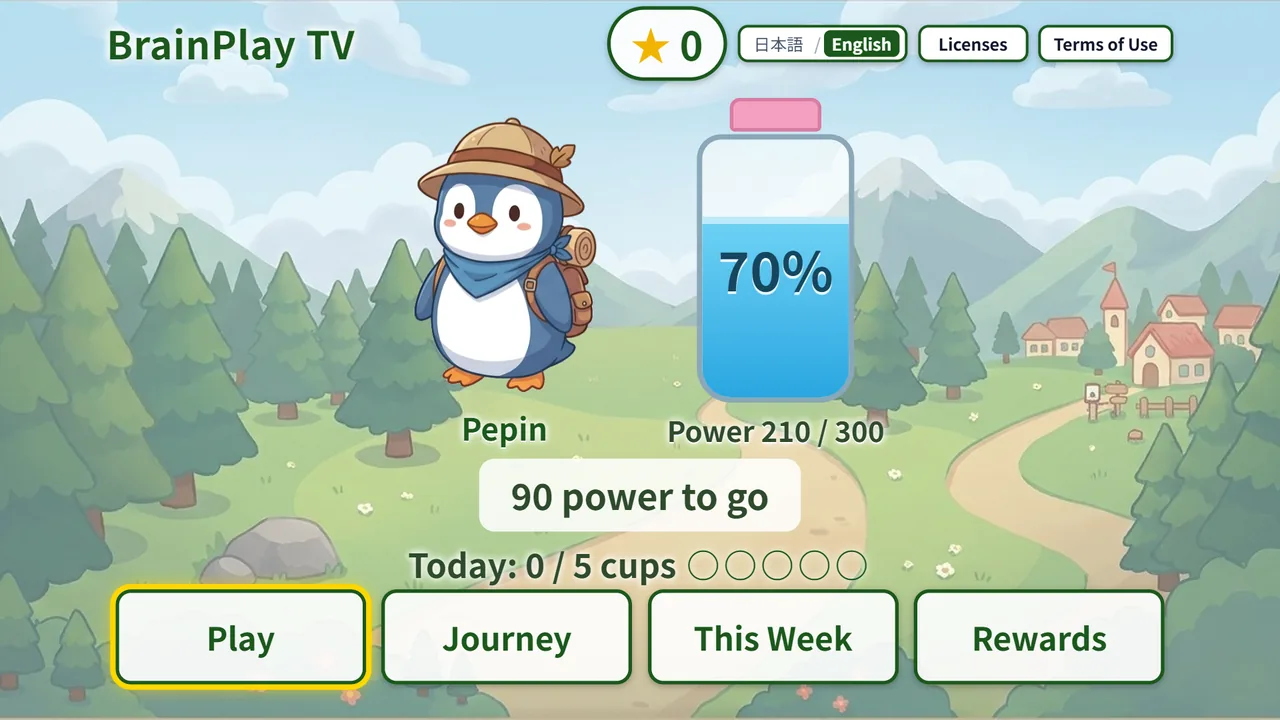
Turn on the TV with your morning coffee, and a short routine is waiting.
Mahjong, Number Place, Minesweeper, jigsaws, colorful matching and a few quiet corners — each one redesigned from the ground up for the remote. New ones arrive on their own.
Match pairs of free tiles to take apart a tall, turtle-shaped stack. A fresh layout every day, with a hint and undo whenever you want them.
Pour colored sand from bottle to bottle until each one holds a single color. Soothing to watch and satisfying to finish.
Fill every row, column and box with the numbers 1 to 9. Start on Easy, move up when you’re ready, and jot down pencil marks while you think.
Drop fruits and vegetables into the crate. Two of a kind join into something bigger — from a tiny pea all the way up to a watermelon.
Look closely around cozy rooms and find each item on the list. There’s no time limit, so take your time and enjoy the details.
Line up the claw, press OK and hope for the best. Cute prizes, a little suspense, and a few near-misses to make you smile.
Set it up in about a minute — even from your own phone — and give them something to look forward to every morning.
Their Fire TV needs to use the same Amazon account you’re signed in with.
Their TV needs to use the same Google account you’re signed in with.

Different account, or not sure? Next time you visit, search for BrainPlay TV on their TV — it takes about a minute. Then sit down together for the first Today’s Challenge.
It works on either of these. Not sure? Take a look at the remote.
Fire OS 5 or later (Fire TV Stick 2nd gen and newer, 4K, 4K Max, Fire TV Cube)
Android 6.0 or later
Not compatible? A Fire TV Stick plugs into any TV’s HDMI port. Give the stick with BrainPlay TV set up, and their current TV is ready.
Everything happens on your TV, with the remote you already use.
Press the Home button on your remote.It usually shows a little house.
Search for BrainPlay TV.On Fire TV, choose Find, then Search. On Google TV, choose Search.
Choose Get or Install, then press OK.Open it and press OK to begin Today’s Challenge.
You won’t be charged unless you choose the membership. The free plan stays free, with three exercises every month.
If you start the 3-month free trial and cancel before it ends, you pay nothing. If you don’t cancel, the membership renews at US$4.99 a month until you cancel.
Nothing to sign up for, no card needed. Free for as long as you like.
after a 3-month free trial · renews monthly until you cancel
Prices in US dollars. Billing and cancellation are handled by Amazon or Google. Cancel during the free trial and you won’t be charged.
BrainPlay TV comes from Global Media Lab, a Tokyo studio that makes television apps for cable TV operators in Japan.
The same collection runs every day on cable TV set-top boxes across Japan, where it’s used daily by older viewers. BrainPlay TV brings it to Fire TV and Google TV — our first release outside Japan.
Fire TV with Fire OS 5 or later (Fire TV Stick 2nd generation and newer, Fire TV Stick 4K and 4K Max, Fire TV Cube), and TVs with Google TV or Android TV (Android 6.0 or later).
Yes. Every exercise uses only the arrow keys and the OK button, plus Back to leave. No touchscreen, keyboard or voice needed.
There are no ads. The only purchase is the optional membership, and it goes through Amazon’s or Google’s usual checkout.
Fire TV: on amazon.com (on a computer or phone), go to Account & Lists → Memberships & Subscriptions.
Google TV: in the Google Play Store, go to Profile → Payments & subscriptions → Subscriptions.
Cancel during the free trial and you won’t be charged.
Yes, if their TV uses the same Amazon or Google account as you. Install it from your phone or computer and it appears on their TV. Otherwise, search for BrainPlay TV on their TV next time you visit — it takes about a minute. See the steps.
No. There’s nothing to sign up for inside the app.
Yes — the same connection your TV uses for streaming.
English and Japanese. You can switch at the top of the screen.
There is no advertising. We use basic usage statistics (Google Analytics) to see which screens are used, with advertising features turned off. See our Privacy Policy.
Five minutes a day, on the TV they already love.
3-month free trialCancel anytimeNo ads